
Patient engagement and communication
Shared Decision-Making Platform A
Connect patient decision aid creation, step-by-step reading, treatment-option comparisons, preference responses and result analysis. Clinical teams organize content by department and topic to help patients understand options and join discussions.
ABOUT THIS PRODUCT
Product overview
Connect patient decision aid creation, step-by-step reading, treatment-option comparisons, preference responses and result analysis. Clinical teams organize content by department and topic to help patients understand options and join discussions.
Administrators organize categories, illustrated content, question types and options, previewing desktop and mobile layouts before managing publication by department and topic. Public step-by-step guidance covers options, personal considerations and confirmation.
Clinical ordering, response tracking and charts support follow-up discussion. Some materials are explicitly fictional demonstrations rather than real orders or completion rates. The system supports communication; clinical content and decisions remain with professionals and patients.
FEATURES & APPLICATIONS
Features and applications
- Search decision aids by department and topic
- Step-by-step reading, comparisons and preferences
- Question types and multimedia content management
- Responses, completion rates and role management
INTERFACE TOUR
Interface tour
Select an image to enlarge it. Demonstration records, charts and figures do not represent actual operational or clinical outcomes.
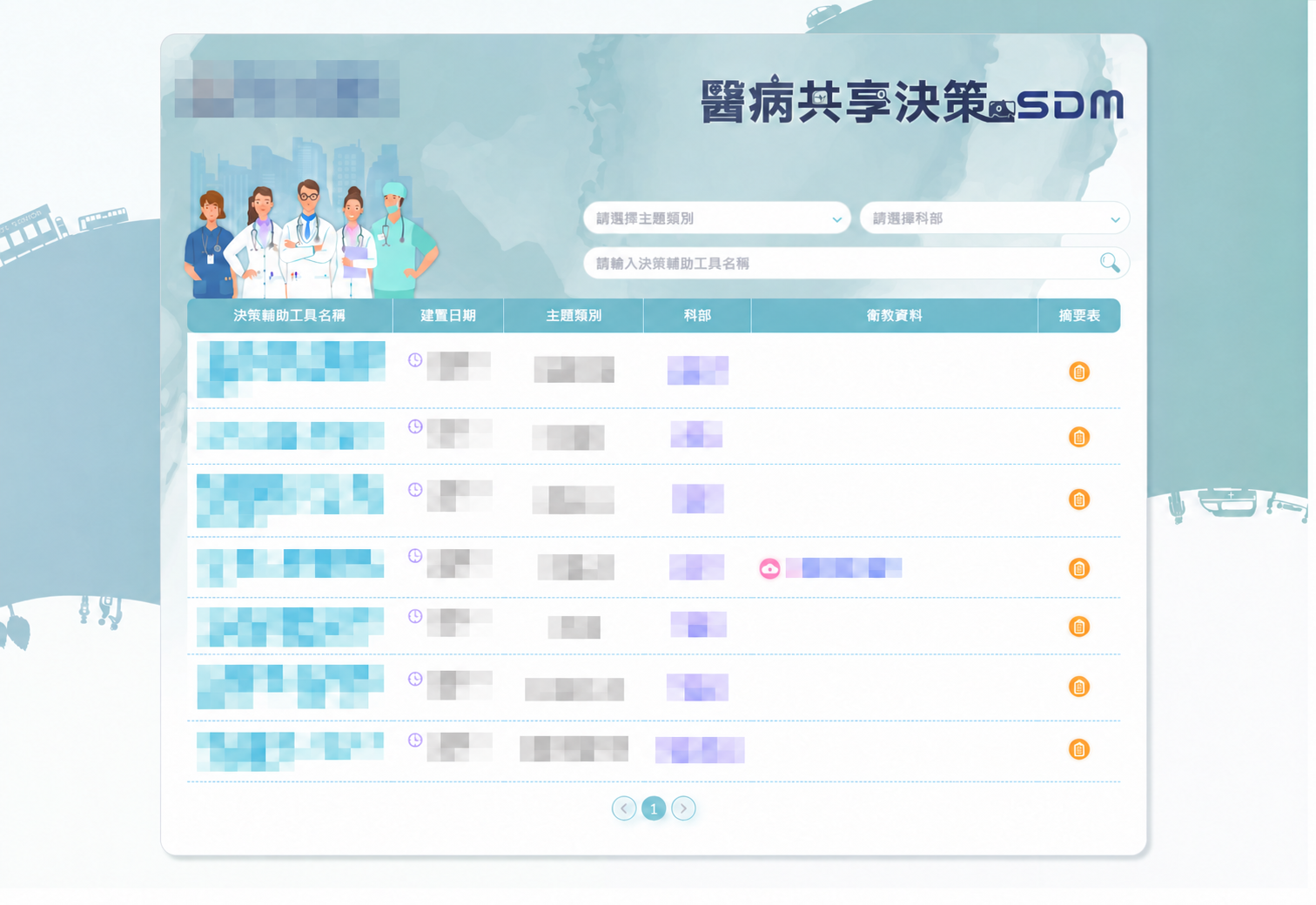
Search published tools and education attachments by topic, department and tool name.
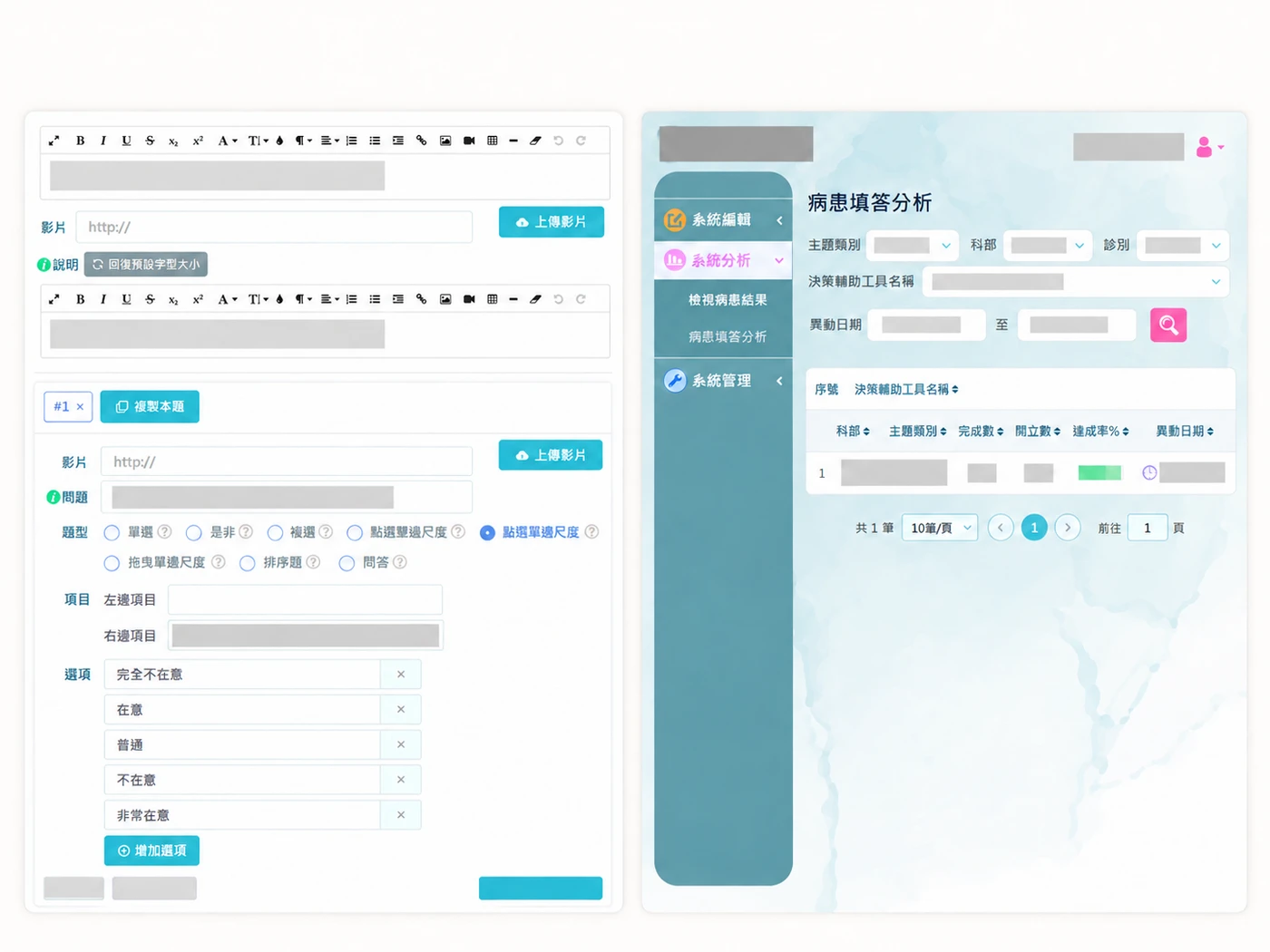
Different interfaces illustrate the available controls and information layout. Images have been redacted and arranged for presentation. Actual interfaces and features depend on the project version and permissions.
BUILT AROUND YOUR WORK
Integration and customization
Use the existing product as a starting point. We assess what to retain, adapt or extend around your workflows, system environment and user roles.
Workflows and forms
Review current tasks, data fields and approval rules to discuss forms, queries and reports that fit daily work.
Data and system connections
Identify sources, exchange formats and equipment requirements before assessing integration, migration and cross-platform data flows.
Roles and implementation
Define access for each user group, then plan acceptance testing, training and ongoing maintenance.
Discuss development for this product
Tell us about your current workflow and the problems you want to address so we can define a suitable product direction and customization scope.
Discuss development for this productBrowse all productsWe provide software development, system integration and technical consulting. Medical and care services are delivered by the professional teams using the software.