
Organizational operations and collaboration
8C Coffee Management Platform
Connect Android POS ordering, product menus, member discounts and store or franchise administration. Sales rankings, operating reports and daily closing records link store checkout with the head office, supporting single-store and multi-store operations.
ABOUT THIS PRODUCT
Product overview
Connect Android POS ordering, product menus, member discounts and store or franchise administration. Sales rankings, operating reports and daily closing records link store checkout with the head office, supporting single-store and multi-store operations.
Android POS organizes menu categories, tables, ordering and order details at the store. Back-office tools maintain products, bills of materials, members, stores and franchise information to connect frontline service with brand administration.
Sales rankings, period reports and daily accounting records support operational review. Discounts, checkout, product and BOM rules, and role access depend on store policies and project version.
FEATURES & APPLICATIONS
Features and applications
- Android POS ordering, tables and checkout
- Product categories, menus and bills of materials
- Member identification and discounts
- Store and franchise records
- Sales rankings and report exports
- Daily closing, register sessions and petty cash
- Role-based access and system administration
INTERFACE TOUR
Interface tour
Select an image to enlarge it. Demonstration records, charts and figures do not represent actual operational or clinical outcomes.
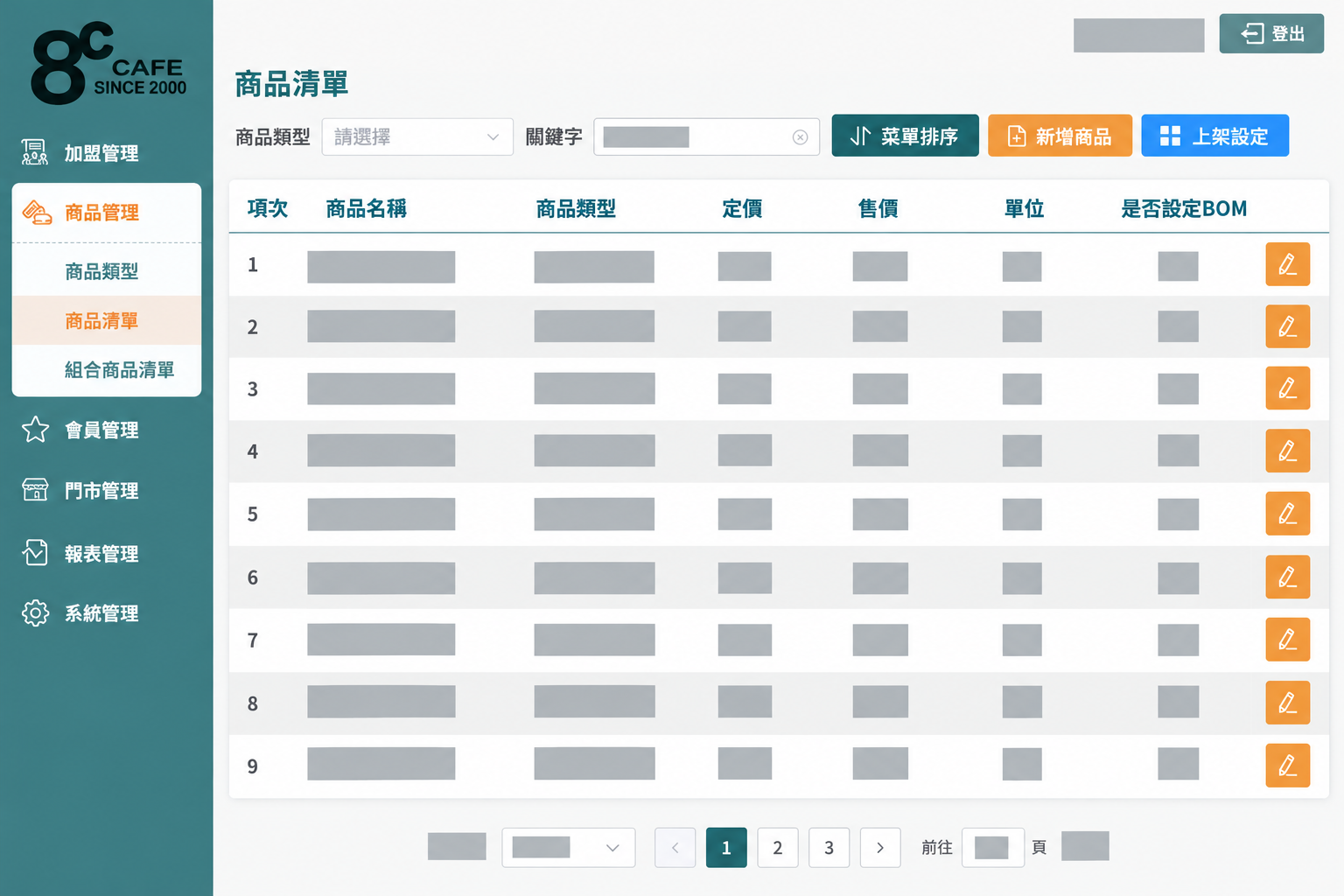
Maintain product categories, menu order, availability and product material composition from the administration workspace.
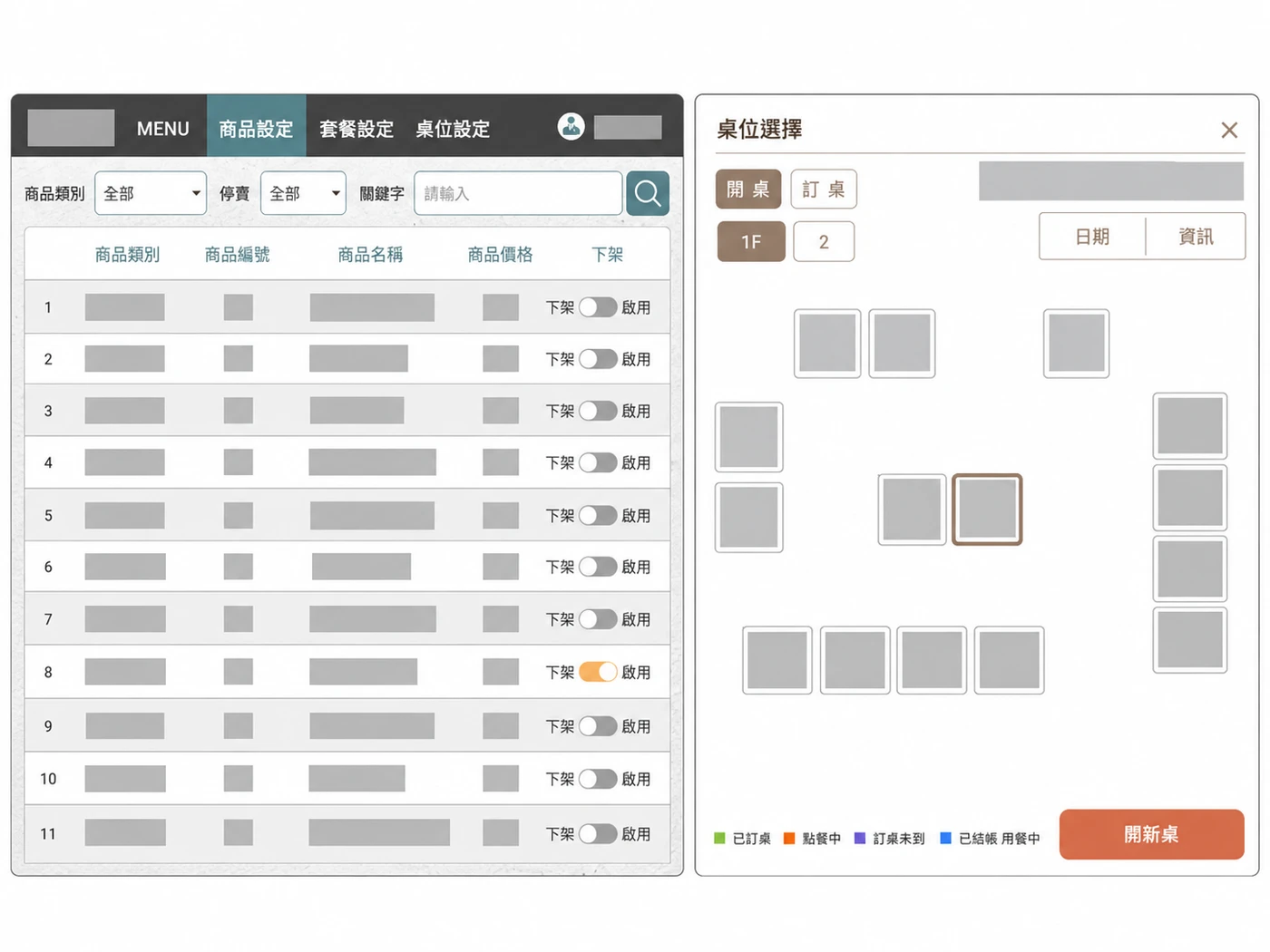
Different interfaces illustrate the available controls and information layout. Images have been redacted and arranged for presentation. Actual interfaces and features depend on the project version and permissions.
BUILT AROUND YOUR WORK
Integration and customization
Use the existing product as a starting point. We assess what to retain, adapt or extend around your workflows, system environment and user roles.
Workflows and forms
Review current tasks, data fields and approval rules to discuss forms, queries and reports that fit daily work.
Data and system connections
Identify sources, exchange formats and equipment requirements before assessing integration, migration and cross-platform data flows.
Roles and implementation
Define access for each user group, then plan acceptance testing, training and ongoing maintenance.
Discuss development for this product
Tell us about your current workflow and the problems you want to address so we can define a suitable product direction and customization scope.
Discuss development for this productBrowse all productsWe provide software development, system integration and technical consulting. Medical and care services are delivered by the professional teams using the software.